
Explore the demo

Choose your platform

Set your own rules
Explore the demo
Choose your platform
Set your own rules
Your Rules,
In Motion.
Explore a trading workspace built around your platform, strategy, and risk preferences. Start with the demo, then find a robot for your routine.


Robot selected
01
Demo

Strategy preview
Demo

Explore robot categories for familiar trading platforms.






FROM CHART TO ACTION
Manual trading breaks your flow.
Spot a signal, switch screens, check your settings, and place an order. Explore a workflow that keeps those steps connected.
Manual setup
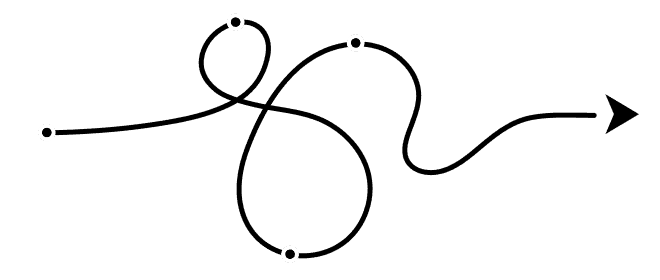

Watch the chart
Check a signal
Set the amount
Place the order




Choose a robot
Select a strategy
Set risk limits
Review activity
WORKFLOW DEMO
Choose your setup. See the workflow.
Platform

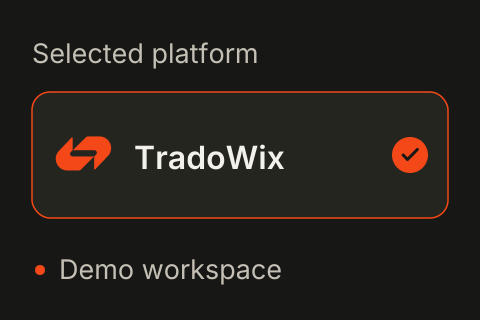
Select a broker-focused robot to explore.
01
Strategy

Review example settings and signal rules.
02
Preview

Follow a sample signal through the demo activity view.
03
Pokzen connects your chosen robot, strategy settings, and activity view in one trading workflow.
THE POKZEN WORKSPACE
A clearer view of your trading setup.


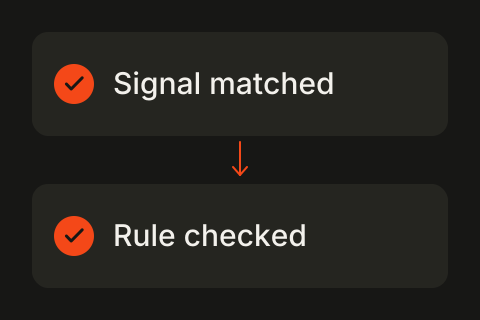
When a signal matches my rules, show the planned trade.


Signal matched


Review demo trade
Broker-focused Robots
Start with a robot category built around your chosen trading platform.

Strategy Selection
Explore the example settings behind a trading strategy.

Check signal


Review risk

View action
Risk Preferences
See where trade limits and other preferences fit into the workflow.
Trade signal
Awaiting review…

Rule matched
Show the demo trade

Activity Tracking
Follow example signals and actions in one activity view.


Platform Workspaces
Explore a workspace organized around your selected trading platform.

Clear Controls
Review strategy and risk preferences before considering a live setup.
STRATEGY WORKFLOW
A plan for each step.
Start with a platform. Choose a strategy, review its settings, and follow the example activity. Keep each step visible as you explore.


Choose your platform
01.


Review strategy
02.

Check risk settings
03.

Follow the activity
04.
ROBOT COLLECTION
Choose your trading platform.



IQ Option
Explore a robot workspace for IQ Option.

Quotex
Explore a robot workspace for Quotex.

Pocket Option
Explore a robot workspace for Pocket Option.

PLATFORM CATEGORIES
Find your platform. Explore its robot.
Browse familiar platform categories in the Pokzen demo. Live platform availability will be confirmed separately.

















MORE ROBOTS
Find a workspace for your platform.
Explore more robot categories and see how a platform-focused workflow is organized.


WORKFLOW EXAMPLES
Built around your routine.
02
Set your strategy
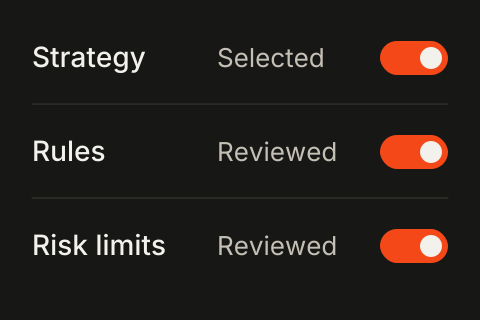
Select a strategy and review its rules and risk preferences.
04
Follow activity
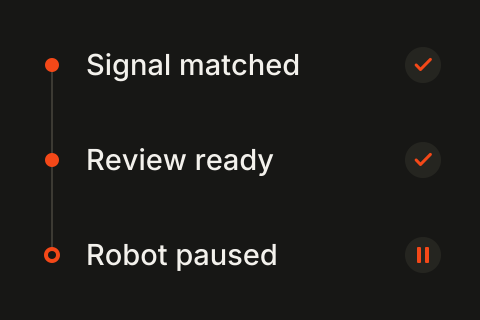
Follow the activity log and keep the session status in view.
DEMO PRICING
Explore the demo.
Compare the plans.
Monthly
Yearly
Demo prices
Starter
$29
/month
Demo price • Not a live offer

Single-platform demo
Robot selection preview
Example strategy settings
Risk controls overview
Sample activity timeline
Pro

Demo plan
$59
/month
Demo price • Not a live offer
Multi-platform exploration
Expanded workflow examples
Strategy comparison preview
Example alert routing
Activity review workspace
Demo configuration guide
Desk
Custom
Demo plan • Scope to confirm
Custom workflow discussion
Platform coverage review
Team setup planning
Integration requirements
Risk control requirements
Implementation scoping
FAQ
Before you explore
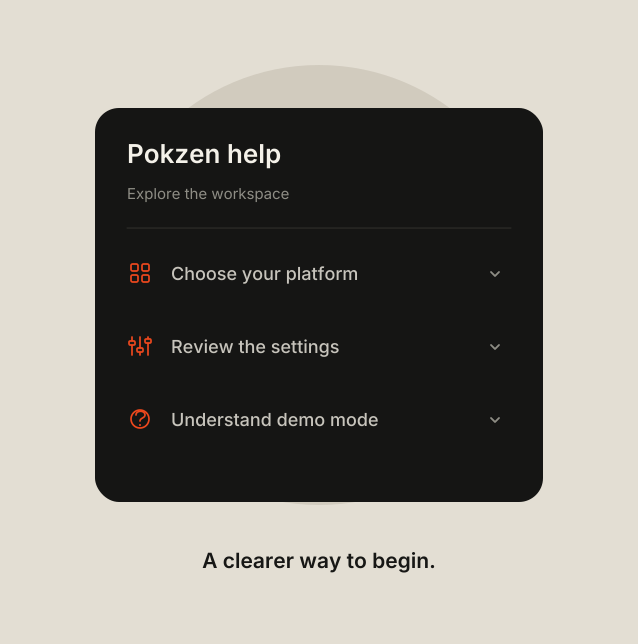
Explore the platform categories, then compare the plans to see how a trading setup can fit your routine.

EXPLORE POKZEN
Put your workflow in focus.
Explore the workspace and robot categories. See a trading setup organized around your rules.

Broker-focused trading automation. Explore robot categories, strategy settings, and activity views in the Pokzen demo.


Explore the demo
Choose your platform
Set your own rules
Explore the demo
Choose your platform
Set your own rules
Your Rules,
In Motion.
Explore a trading workspace built around your platform, strategy, and risk preferences. Start with the demo, then find a robot for your routine.
Robot selected
01
Demo
Strategy preview
Demo
Explore robot categories for familiar trading platforms.
FROM CHART TO ACTION
Manual trading breaks your flow.
Spot a signal, switch screens, check your settings, and place an order. Explore a workflow that keeps those steps connected.
Manual setup
Watch the chart
Check a signal
Set the amount
Place the order
Choose a robot
Select a strategy
Set risk limits
Review activity
WORKFLOW DEMO
Choose your setup. See the workflow.
Platform
Select a broker-focused robot to explore.
01
Strategy
Review example settings and signal rules.
02
Preview
Follow a sample signal through the demo activity view.
03
Pokzen connects your chosen robot, strategy settings, and activity view in one trading workflow.
THE POKZEN WORKSPACE
A clearer view of your trading setup.
When a signal matches my rules, show the planned trade.
Signal matched
Review demo trade
Broker-focused Robots
Start with a robot category built around your chosen trading platform.
Strategy Selection
Explore the example settings behind a trading strategy.
Check signal
Review risk
View action
Risk Preferences
See where trade limits and other preferences fit into the workflow.
Trade signal
Awaiting review…
Rule matched
Show the demo trade
Activity Tracking
Follow example signals and actions in one activity view.
Platform Workspaces
Explore a workspace organized around your selected trading platform.

Clear Controls
Review strategy and risk preferences before considering a live setup.
STRATEGY WORKFLOW
A plan for each step.
Start with a platform. Choose a strategy, review its settings, and follow the example activity. Keep each step visible as you explore.
Choose your platform
01.
Review strategy
02.
Check risk settings
03.
Follow the activity
04.
ROBOT COLLECTION
Choose your trading platform.
Quotex
Explore a robot workspace for Quotex.

Workspace
Demo

Mode
Preview
IQ Option
Explore a robot workspace for IQ Option.

Workspace
Demo
Mode
Preview
Pocket Option
Explore a robot workspace for Pocket Option.

Workspace
Demo
Mode
Preview
PLATFORM CATEGORIES
Find your platform. Explore its robot.
Browse familiar platform categories in the Pokzen demo. Live platform availability will be confirmed separately.
MORE ROBOTS
Find a workspace for your platform.
Explore more robot categories and see how a platform-focused workflow is organized.
WORKFLOW EXAMPLES
Built around your routine.
02
Set your strategy
Select a strategy and review its rules and risk preferences.
04
Follow activity
Follow the activity log and keep the session status in view.

DEMO PRICING
Explore the demo.
Compare the plans.
Monthly
Yearly
Demo prices
Starter
$29
/month
Demo price • Not a live offer
Single-platform demo
Robot selection preview
Example strategy settings
Risk controls overview
Sample activity timeline
Pro
Demo plan
$59
/month
Demo price • Not a live offer
Multi-platform exploration
Expanded workflow examples
Strategy comparison preview
Example alert routing
Activity review workspace
Demo configuration guide
Desk
Custom
Demo plan • Scope to confirm
Custom workflow discussion
Platform coverage review
Team setup planning
Integration requirements
Risk control requirements
Implementation scoping
FAQ
Before you explore
Explore the platform categories, then compare the plans to see how a trading setup can fit your routine.
EXPLORE POKZEN
Put your workflow in focus.
Explore the workspace and robot categories. See a trading setup organized around your rules.
Broker-focused trading automation. Explore robot categories, strategy settings, and activity views in the Pokzen demo.
Explore the demo
Choose your platform
Set your own rules
Explore the demo
Choose your platform
Set your own rules
Your Rules,
In Motion.
Explore a trading workspace built around your platform, strategy, and risk preferences. Start with the demo, then find a robot for your routine.
Robot selected
01
Demo
Strategy preview
Demo
Explore robot categories for familiar trading platforms.
FROM CHART TO ACTION
Manual trading breaks your flow.
Spot a signal, switch screens, check your settings, and place an order. Explore a workflow that keeps those steps connected.
Manual setup
Watch the chart
Check a signal
Set the amount
Place the order
Choose a robot
Select a strategy
Set risk limits
Review activity
WORKFLOW DEMO
Choose your setup. See the workflow.
Platform
Select a broker-focused robot to explore.
01
Strategy
Review example settings and signal rules.
02
Preview
Follow a sample signal through the demo activity view.
03
Pokzen connects your chosen robot, strategy settings, and activity view in one trading workflow.
THE POKZEN WORKSPACE
A clearer view of your trading setup.
When a signal matches my rules, show the planned trade.
Signal matched
Review demo trade
Broker-focused Robots
Start with a robot category built around your chosen trading platform.
Strategy Selection
Explore the example settings behind a trading strategy.
Check signal
Review risk
View action
Risk Preferences
See where trade limits and other preferences fit into the workflow.
Trade signal
Awaiting review…
Rule matched
Show the demo trade
Activity Tracking
Follow example signals and actions in one activity view.
Platform Workspaces
Explore a workspace organized around your selected trading platform.
Clear Controls
Review strategy and risk preferences before considering a live setup.
STRATEGY WORKFLOW
A plan for each step.
Start with a platform. Choose a strategy, review its settings, and follow the example activity. Keep each step visible as you explore.
Choose your platform
01.
Review strategy
02.
Check risk settings
03.
Follow the activity
04.
ROBOT COLLECTION
Choose your trading platform.
IQ Option
Explore a robot workspace for IQ Option.
Workspace
Demo
Mode
Preview
Quotex
Explore a robot workspace for Quotex.
Workspace
Demo
Mode
Preview
Pocket Option
Explore a robot workspace for Pocket Option.
Workspace
Demo
Mode
Preview
PLATFORM CATEGORIES
Find your platform. Explore its robot.
Browse familiar platform categories in the Pokzen demo. Live platform availability will be confirmed separately.
MORE ROBOTS
Find a workspace for your platform.
Explore more robot categories and see how a platform-focused workflow is organized.
WORKFLOW EXAMPLES
Built around your routine.
02
Set your strategy
Select a strategy and review its rules and risk preferences.
04
Follow activity
Follow the activity log and keep the session status in view.
DEMO PRICING
Explore the demo.
Compare the plans.
Monthly
Yearly
Demo prices
Starter
$29
/month
Demo price • Not a live offer
Single-platform demo
Robot selection preview
Example strategy settings
Risk controls overview
Sample activity timeline
Pro
Demo plan
$59
/month
Demo price • Not a live offer
Multi-platform exploration
Expanded workflow examples
Strategy comparison preview
Example alert routing
Activity review workspace
Demo configuration guide
Desk
Custom
Demo plan • Scope to confirm
Custom workflow discussion
Platform coverage review
Team setup planning
Integration requirements
Risk control requirements
Implementation scoping
FAQ
Before you explore
Explore the platform categories, then compare the plans to see how a trading setup can fit your routine.
EXPLORE POKZEN
Put your workflow in focus.
Explore the workspace and robot categories. See a trading setup organized around your rules.
Broker-focused trading automation. Explore robot categories, strategy settings, and activity views in the Pokzen demo.