Robots / Quotex
POKZEN FOR QUOTEX
Quotex robot.
A clear view of every step.
Explore the Quotex robot workflow with a focused view of your setup, sample signals, and session activity.

Pokzen
Illustrative preview

Quotex
Strategy selected
Signal preview
✓ Risk reviewed
Ⅱ Robot paused
Setup at a glance
Keep the platform and selected strategy together.
Preferences in view
Review the session limits before the signal example.
Activity with context
See the rule check alongside the sample signal.
Know where you are in the workflow.
Keep the Quotex setup easy to follow. The preview places strategy, risk preferences, and activity in a sequence you can review at your own pace.
One focused setup
Start from a workspace centered on Quotex.
A place for preferences
Review the chosen rules and session limits together.
A readable activity trail
Follow the sample signal and its review status.
YOUR WORKFLOW
From setup to review, in four steps.
01
Choose Quotex
Selected platform
Quotex
Demo workspace
Open the Quotex workspace and inspect the selected setup.
02
Check the setup
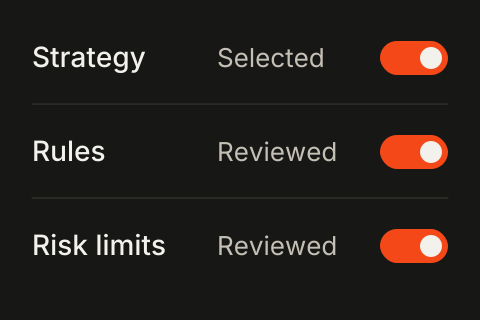
Review the strategy rules and the session preferences.
03
Review the signal
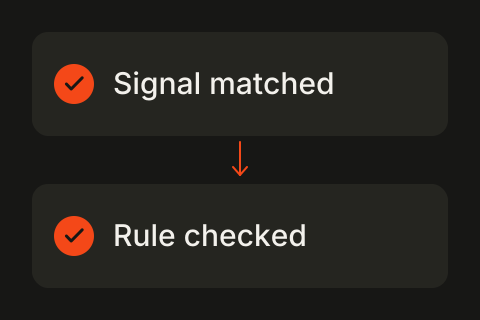
Follow a sample signal to the rule it matches.
04
Read the activity
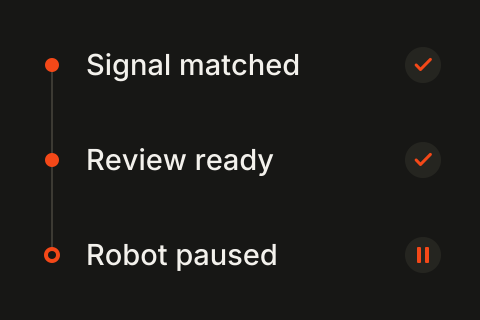
Check the activity entries and the current session status.
Start with a setup that fits.
Compare the example plans for Quotex or a broader collection of robot workflows.
A few things, made clear.
Understand the Quotex preview before you explore the workflow.
See your Quotex routine clearly.
Move through the setup and explore the activity that follows.

Broker-focused trading automation. Explore robot categories, strategy settings, and activity views in the Pokzen demo.


Robots / Quotex
POKZEN FOR QUOTEX
Quotex robot.
A clear view of every step.
Explore the Quotex robot workflow with a focused view of your setup, sample signals, and session activity.
Pokzen
Illustrative preview
Quotex
Strategy selected
Signal preview
✓ Risk reviewed
Ⅱ Robot paused
Setup at a glance
Keep the platform and selected strategy together.
Preferences in view
Review the session limits before the signal example.
Activity with context
See the rule check alongside the sample signal.
Know where you are in the workflow.
Keep the Quotex setup easy to follow. The preview places strategy, risk preferences, and activity in a sequence you can review at your own pace.
One focused setup
Start from a workspace centered on Quotex.
A place for preferences
Review the chosen rules and session limits together.
A readable activity trail
Follow the sample signal and its review status.
YOUR WORKFLOW
From setup to review, in four steps.
01
Choose Quotex
Selected platform
Quotex
Demo workspace
Open the Quotex workspace and inspect the selected setup.
02
Check the setup
Review the strategy rules and the session preferences.
03
Review the signal
Follow a sample signal to the rule it matches.
04
Read the activity
Check the activity entries and the current session status.
Start with a setup that fits.
Compare the example plans for Quotex or a broader collection of robot workflows.
A few things, made clear.
Understand the Quotex preview before you explore the workflow.
See your Quotex routine clearly.
Move through the setup and explore the activity that follows.
Broker-focused trading automation. Explore robot categories, strategy settings, and activity views in the Pokzen demo.
Robots / Quotex
POKZEN FOR QUOTEX
Quotex robot.
A clear view of every step.
Explore the Quotex robot workflow with a focused view of your setup, sample signals, and session activity.
Illustrative preview
Quotex
Strategy selected
Signal preview
✓ Risk reviewed
Ⅱ Robot paused
Setup at a glance
Keep the platform and selected strategy together.
Preferences in view
Review the session limits before the signal example.
Activity with context
See the rule check alongside the sample signal.
Know where you are in the workflow.
Keep the Quotex setup easy to follow. The preview places strategy, risk preferences, and activity in a sequence you can review at your own pace.
One focused setup
Start from a workspace centered on Quotex.
A place for preferences
Review the chosen rules and session limits together.
A readable activity trail
Follow the sample signal and its review status.
YOUR WORKFLOW
From setup to review, in four steps.
01
Choose Quotex
Selected platform
Quotex
Demo workspace
Open the Quotex workspace and inspect the selected setup.
02
Check the setup
Review the strategy rules and the session preferences.
03
Review the signal
Follow a sample signal to the rule it matches.
04
Read the activity
Check the activity entries and the current session status.
Start with a setup that fits.
Compare the example plans for Quotex or a broader collection of robot workflows.
A few things, made clear.
Understand the Quotex preview before you explore the workflow.
See your Quotex routine clearly.
Move through the setup and explore the activity that follows.
Broker-focused trading automation. Explore robot categories, strategy settings, and activity views in the Pokzen demo.